Quick Reference: Best Solutions at a Glance
Meta Quest (MR <-> VR):
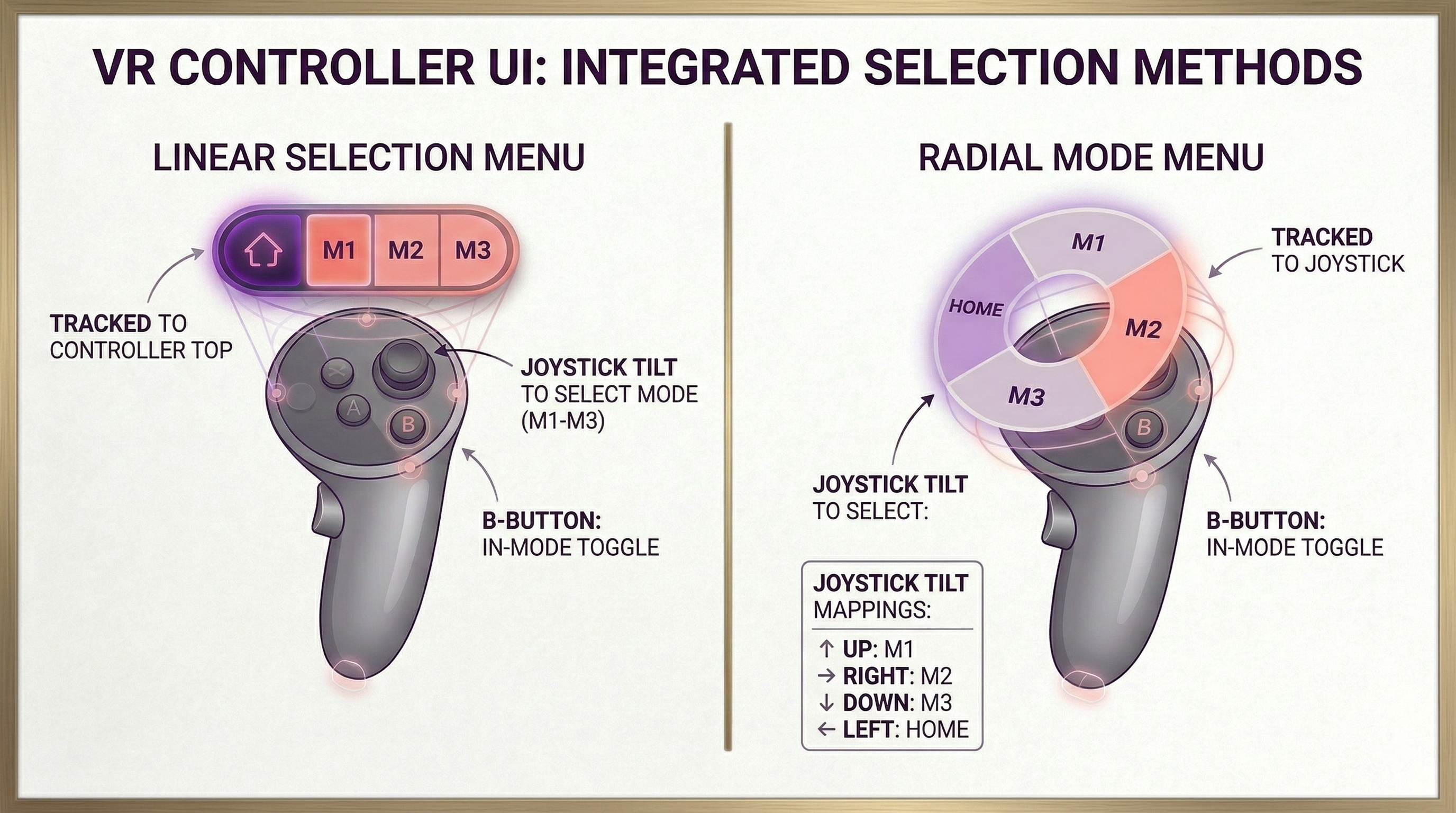
- Single-Scene (Recommended): Keep OpenXR Passthrough active at all times. Clear the camera to RGBA(0,0,0,0) to expose compositor layer -1. Transition between MR and VR by interpolating virtual geometry coverage over the eye buffer—either via an Alpha-Blended Skybox or an Inverted Masking Dome/Sphere. Zero frame hitches, zero native driver teardowns.
- Multi-Scene: Retain the XROrigin and XR subsystems in a persistent bootstrap scene (DontDestroyOnLoad). Load virtual environments additively (LoadSceneMode.Additive). Never reload or destroy the XR camera rig across scene transitions.
Mobile AR Foundation (AR <-> 3D):
- Single-Scene (Recommended): Use Session Suspension. Toggle ARCameraBackground.enabled, suspend ARSession.enabled = false, and disable TrackedPoseDriver alongside visual trackables while enabling your standard 3D orbit camera. This keeps the native ARKit/ARCore context alive without cold-boot overhead or permission loops.
- Multi-Scene: When memory mandates full scene unloading, synchronize native driver teardown explicitly using LoaderUtility.Deinitialize() on scene unload and LoaderUtility.Initialize() on scene load. Never execute ARSession.Reset() synchronously inside Awake() or Start().
Package Manifest
This guide is based on projects using the following packages: -
- XR Interaction Toolkit
- ARFoundation
- Unity Meta OpenXR
Common Problems & Root Cause Checklist
- Black Screen in Quest Mixed Reality:
- Root Cause: URP writes an opaque alpha value (A=1.0) into the eye buffer, covering the underlying passthrough layer. Often caused by active HDR, Terrain Holes rendering, or Camera Clear Flags set to Skybox.
- Severe Frame Drop / Hitch on Quest Mode Switch (~45ms+):
- Root Cause: Calling arCameraManager.enabled = false forces the Meta OS compositor to tear down and recreate native composition hardware layers.
- ARCore Crash on Android App Launch / Scene Switch:
- Root Cause: Calling ARSession.Reset() synchronously in Start() or Awake() while native ARCore drivers are still in an asynchronous initializing state.
- Camera MissingReferenceException on Scene Load:
- Root Cause: ARCameraBackground or TrackedPoseDriver attempts to blit frames from a destroyed camera after standard SceneManager.LoadScene() execution.
- Z-Fighting / Ghosting on Transition Masks:
- Root Cause: Transition cutout shaders assigned to the default Transparent queue (3000), conflicting with virtual geometry depth testing.
- Camera Field of View / Aspect Ratio Stretching on Mobile:
- Root Cause: Enabling ARCameraBackground before the AR Foundation session updates the projection matrix with the physical sensor aspect ratio.
Meta Quest: MR <-> VR Architecture
In the Meta OpenXR runtime, passthrough is composited at hardware layer order -1 (directly behind all rendered Unity eye-buffer geometry). Transitioning between MR and VR is an eye-buffer alpha and rasterization problem, not a camera video feed problem.
CRITICAL RULE: NEVER attach ARCameraBackground to a Meta Quest camera.
On mobile, ARCameraBackground blits camera frames into the color buffer. On Quest, passthrough is composited by the OS. Adding ARCameraBackground causes depth-sorting glitches and high latency.
Mandatory Engine & URP Configuration
Configure these parameters to prevent the Universal Render Pipeline from overwriting passthrough transparency:
- Graphics API: Vulkan exclusively (OpenGLES3 is deprecated for Quest MR).
- Color Space: Linear.
- URP Asset HDR: Disabled (prevents conversion passes from writing A=1.0).
- URP Asset Terrain Holes: Disabled (prevents invalid stencil/alpha buffer writes).
- Camera Post-Processing: Disabled on the Main XR Camera (post-process UberPasses force A=1.0).
- Main Camera Clear Flags: Solid Color with RGBA(0, 0, 0, 0).
- Android Manifest: Include <uses-permission android:name="com.oculus.permission.USE_SCENE" /> if spatial anchors or environment meshing are used.
Architecture A: Single-Scene Virtual Alpha Occlusion (Recommended)
Keep OpenXR passthrough active continuously (ARCameraManager.enabled = true). To switch between MR and VR, interpolate virtual coverage over the transparent eye buffer.
Two Techniques for the Same Alpha-Occlusion Result:
- Alpha-Blended Skybox: Use a custom skybox shader with an alpha property. At =0.0, the background clears to (0,0,0,0) (revealing passthrough). At =1.0, the skybox fully occludes passthrough.
- Inverted Masking Dome / Sphere: Place an inverted sphere mesh centered on the XROrigin. Use a cutout/dissolve shader set to RenderQueue = 2999 (Transparent-1) and Cull Off. Expanding or dissolving the sphere reveals/hides the virtual world like a spatial portal.
using System.Collections;
using UnityEngine;
using UnityEngine.XR.ARFoundation;

public class QuestMRVRTransitionManager : MonoBehaviour
{
    [Header("Engine References")]
    [SerializeField] private ARCameraManager arCameraManager;
    [SerializeField] private Camera xrCamera;

    [Header("Transition Target (Skybox or Inverted Dome Material)")]
    [SerializeField] private Material occlusionMaterial; // Must expose "_OcclusionAlpha"
    [SerializeField] private float transitionDuration = 1.0f;
    [SerializeField] private AnimationCurve transitionCurve = AnimationCurve.EaseInOut(0, 0, 1, 1);

    private Coroutine _activeTransition;
    private static readonly int OcclusionAlphaID = Shader.PropertyToID("_OcclusionAlpha");

    private void Awake()
    {
        // Enforce transparent clear flags for the hardware compositor
        if (xrCamera != null)
        {
            xrCamera.clearFlags = CameraClearFlags.SolidColor;
            xrCamera.backgroundColor = new Color(0f, 0f, 0f, 0f);
        }

        // Default to pure Mixed Reality
        SetOcclusionAlpha(0f);
    }

    public void SwitchToVirtualReality() => TriggerTransition(1f);
    public void SwitchToMixedReality() => TriggerTransition(0f);

    private void TriggerTransition(float targetAlpha)
    {
        if (_activeTransition != null)
            StopCoroutine(_activeTransition);

        _activeTransition = StartCoroutine(AnimateAlphaRoutine(targetAlpha));
    }

    private IEnumerator AnimateAlphaRoutine(float targetAlpha)
    {
        // Ensure passthrough layer is active in compositor
        if (arCameraManager != null && !arCameraManager.enabled)
            arCameraManager.enabled = true;

        float startAlpha = occlusionMaterial.GetFloat(OcclusionAlphaID);
        float elapsed = 0f;

        while (elapsed < transitionDuration)
        {
            elapsed += Time.deltaTime;
            float t = elapsed / transitionDuration;
            float currentAlpha = Mathf.Lerp(startAlpha, targetAlpha, transitionCurve.Evaluate(t));
            SetOcclusionAlpha(currentAlpha);
            yield return null;
        }

        SetOcclusionAlpha(targetAlpha);
        _activeTransition = null;
    }

    private void SetOcclusionAlpha(float alpha)
    {
        if (occlusionMaterial != null)
            occlusionMaterial.SetFloat(OcclusionAlphaID, alpha);
    }
}
Architecture B: Multi-Scene Architecture (Persistent Rig + Additive Loading)
Tearing down the OpenXR runtime or unloading the active XR camera introduces severe frame drops and tracking hitches. When projects require separate scenes for memory isolation, manage them additively while keeping the XR subsystem infrastructure persistent.
Multi-Scene Orchestration Rules:
- Persistent Bootstrap Scene: Load the XROrigin, ARSession, and input orchestrators in an initial bootstrap scene. Mark them with DontDestroyOnLoad().
- Additive Scene Loading: Load virtual world environments via SceneManager.LoadSceneAsync("VR_World", LoadSceneMode.Additive).
- Transition Coordination:
- Before unloading the current environment, fade the eye-buffer occlusion material to match the target scene's state (0.0 for MR, 1.0 for VR).
- Unload the previous additive scene asynchronously via SceneManager.UnloadSceneAsync().
- Set the newly loaded additive scene as the active scene via SceneManager.SetActiveScene() to ensure dynamic instantiations land in the correct hierarchy.
Mobile AR Foundation: AR Simple 3D Architecture
Unlike Quest, mobile devices (ARKit/ARCore) blit video frames directly into the camera buffer using ARCameraBackground. Transitioning to a non-AR 3D view requires managing this hardware blit and the camera sensor lifecycle.
Architecture A: Single-Scene Session Suspension (Community Standard)
Keep the AR camera rig and the 3D studio environment within the same scene. Suspend tracking and background blitting without tearing down the native ARKit/ARCore context.
Execution Sequence:
Switching AR to 3D:
- ARCameraBackground.enabled = false (halts video stream blits immediately).
- Disable visual trackables (ARPlaneManager, ARPointCloudManager).
- TrackedPoseDriver.enabled = false and ARCamera.enabled = false (frees pose updates).
- ARSession.enabled = false (pauses tracking without releasing native allocations).
- Enable 3D Studio Orbit Camera and studio environment root.
Switching 3D to AR:
- Disable 3D Studio Orbit Camera and studio environment root.
- ARCamera.clearFlags = CameraClearFlags.SolidColor with Color.black.
- ARCamera.enabled = true.
- ARSession.enabled = true (resumes tracking instantly without permission prompts).
- TrackedPoseDriver.enabled = true and ARCameraBackground.enabled = true.
- Re-enable plane and point cloud visualizers.
using UnityEngine;
using UnityEngine.InputSystem.XR;
using UnityEngine.XR.ARFoundation;

public class MobileARTo3DViewController : MonoBehaviour
{
    [Header("AR Foundation Infrastructure")]
    [SerializeField] private ARSession arSession;
    [SerializeField] private Camera arCamera;
    [SerializeField] private ARCameraBackground arCameraBackground;
    [SerializeField] private TrackedPoseDriver trackedPoseDriver;
    [SerializeField] private ARPlaneManager arPlaneManager;
    [SerializeField] private ARPointCloudManager arPointCloudManager;

    [Header("3D Studio Infrastructure")]
    [SerializeField] private Camera studioCamera;
    [SerializeField] private GameObject studioRoot;

    public enum ViewState { MixedRealityAR, Studio3D }
    public ViewState CurrentState { get; private set; } = ViewState.MixedRealityAR;

    public void SetViewState(ViewState targetState)
    {
        if (targetState == CurrentState) return;

        if (targetState == ViewState.Studio3D)
            TransitionTo3D();
        else
            TransitionToAR();

        CurrentState = targetState;
    }

    private void TransitionTo3D()
    {
        // 1. Halt video feed blit
        if (arCameraBackground != null)
            arCameraBackground.enabled = false;

        // 2. Hide active trackables
        SetTrackablesVisibility(false);

        // 3. Freeze tracking updates and disable AR camera
        if (trackedPoseDriver != null)
            trackedPoseDriver.enabled = false;

        if (arCamera != null)
            arCamera.enabled = false;

        // 4. Suspend ARSession (preserves native context)
        if (arSession != null)
            arSession.enabled = false;

        // 5. Activate 3D studio environment
        if (studioRoot != null)
            studioRoot.SetActive(true);

        if (studioCamera != null)
            studioCamera.enabled = true;
    }

    private void TransitionToAR()
    {
        // 1. Deactivate 3D studio
        if (studioCamera != null)
            studioCamera.enabled = false;

        if (studioRoot != null)
            studioRoot.SetActive(false);

        // 2. Prepare AR camera
        if (arCamera != null)
        {
            arCamera.clearFlags = CameraClearFlags.SolidColor;
            arCamera.backgroundColor = Color.black;
            arCamera.enabled = true;
        }

        // 3. Resume native session
        if (arSession != null)
            arSession.enabled = true;

        // 4. Restore pose driver and background blit
        if (trackedPoseDriver != null)
            trackedPoseDriver.enabled = true;

        if (arCameraBackground != null)
            arCameraBackground.enabled = true;

        // 5. Restore trackables
        SetTrackablesVisibility(true);
    }

    private void SetTrackablesVisibility(bool isVisible)
    {
        if (arPlaneManager != null)
        {
            arPlaneManager.enabled = isVisible;
            foreach (var plane in arPlaneManager.trackables)
                plane.gameObject.SetActive(isVisible);
        }

        if (arPointCloudManager != null)
        {
            arPointCloudManager.enabled = isVisible;
            foreach (var point in arPointCloudManager.trackables)
                point.gameObject.SetActive(isVisible);
        }
    }
}
Architecture B: Multi-Scene Synchronized Lifecycle (When Required)
When memory limitations mandate destroying AR assets when loading the 3D studio scene, manage the subsystem lifecycle explicitly to prevent native pointer corruption:
               UNLOADING AR SCENE
                       │
                       ▼
        Unsubscribe all AR Event Listeners
                       │
                       ▼
    Execute: LoaderUtility.Deinitialize()
                       │
                       ▼
    Wait for SceneManager.sceneUnloaded callback
                       │
                       ▼
      Load Non-AR Scene (Additive or Single)
               LOADING AR SCENE
                       │
                       ▼
         Execute: SceneManager.LoadSceneAsync()
                       │
                       ▼
         Wait for sceneLoaded callback
                       │
                       ▼
     Execute: LoaderUtility.Initialize()
                       │
                       ▼
     Start XR Subsystems: XRLoader.Start()
                       │
                       ▼
  Wait for ARSessionState >= ARSessionState.Ready
  (NEVER call ARSession.Reset() synchronously in Start())
using System.Collections;
using UnityEngine;
using UnityEngine.SceneManagement;
using UnityEngine.XR.ARFoundation;

public class MultiSceneARLifecycleManager : MonoBehaviour
{
    [SerializeField] private string arSceneName = "ARScene";
    [SerializeField] private string studioSceneName = "Studio3DScene";

    public void NavigateToStudio() => StartCoroutine(UnloadARAndLoadStudioRoutine());
    public void NavigateToAR() => StartCoroutine(UnloadStudioAndLoadARRoutine());

    private IEnumerator UnloadARAndLoadStudioRoutine()
    {
        // 1. Cleanly deinitialize native subsystem wrappers before scene teardown
        LoaderUtility.Deinitialize();

        // 2. Load the 3D scene asynchronously
        AsyncOperation asyncLoad = SceneManager.LoadSceneAsync(studioSceneName, LoadSceneMode.Single);
        while (!asyncLoad.isDone)
        {
            yield return null;
        }
    }

    private IEnumerator UnloadStudioAndLoadARRoutine()
    {
        // 1. Load the AR scene
        AsyncOperation asyncLoad = SceneManager.LoadSceneAsync(arSceneName, LoadSceneMode.Single);
        while (!asyncLoad.isDone)
        {
            yield return null;
        }

        // 2. Re-initialize native subsystems
        LoaderUtility.Initialize();

        // 3. Await ready state without calling ARSession.Reset()
        yield return new WaitUntil(() => ARSession.state >= ARSessionState.Ready);
    }
}
Diagnostic Matrix & Failure Resolution
| Symptom | Root Cause | Resolution |
|---|---|---|
| Black Background in Quest Passthrough | URP writes A=1.0 into eye buffer; Camera Clear Flags set to Skybox. | Set Camera Clear Flags to Solid Color: RGBA(0,0,0,0). Disable URP HDR and Terrain Holes. Disable camera post-processing. |
| ARCore Crash on Android | ARSession.Reset() called during Start() while the driver is initializing. | Remove explicit Reset() invocations. Wait until ARSession.state >= ARSessionState.Ready. |
| MissingReferenceException on Scene Unload | ARCameraBackground attempts to blit after camera destruction. | Call LoaderUtility.Deinitialize() prior to scene changes, or keep the AR rig persistent in a single scene. |
| Z-Sorting Glitches on Cutout Dome | Mask mesh queue set to Transparent (3000). | Explicitly assign RenderQueue = 2999 (Transparent-1), ZWrite On, and Cull Off. |
| Hitch on Quest MR VR Transition | Deactivating arCameraManager.enabled destroys hardware composition layers. | Use the Virtual Alpha Occlusion pattern. Keep arCameraManager.enabled = true and fade eye-buffer coverage. |
Comments
Join the discussionNo comments yet. Be the first to comment.