As if I am doing it right now...
User Analysis
I have to design for a 30+ Indian user majorly.
The UI has to be:
common and simple - something the user is already familiar with, and most of all,
very intuitive - the user should not be thinking, 'How do I click this button?'
But it has to look modern and professional too!
Hmm... simple, intuitive, modern, and professional, all in one! Interesting. We will name this requirement combo - Jin.
Design Thinking
The app should be controllable with a single controller. There is too much mental load wearing a VR headset and holding a controller in each hand.
Hand tracking would be freaking experience for the not-so-techy customer.
Then a UI that can be controlled with a single controller is the way.
You can't do that with stupid buttons. I need something analog or say, multifunctional.
The meta quest controller has a joystick on it. That's my target input source!
A controller tracked UI selectable by the joystick push or tilt.
Some kind of a radial UI. That is both fancy and Jin.
Sketching
1. Radial UI
Dynamic Ring
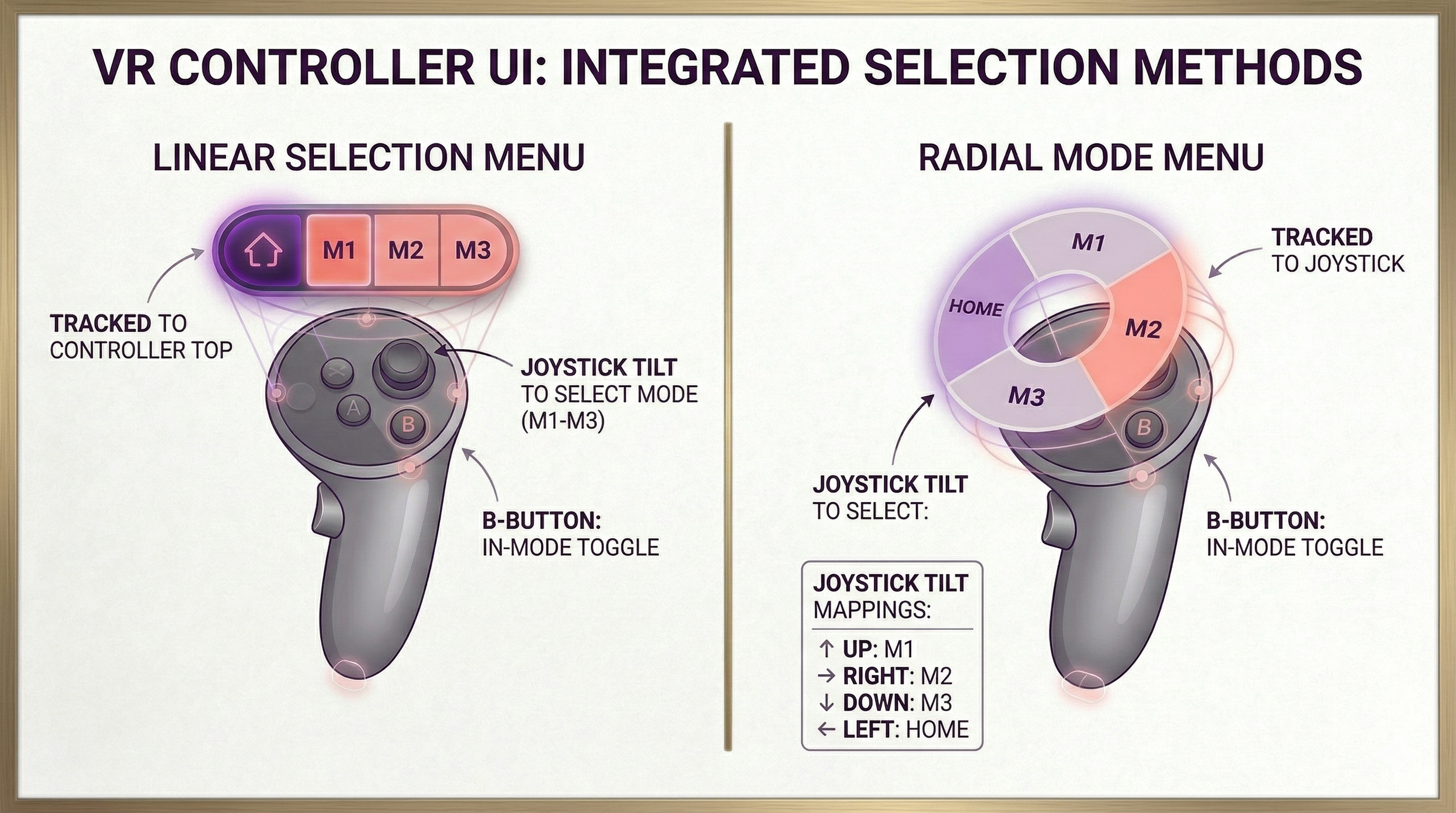
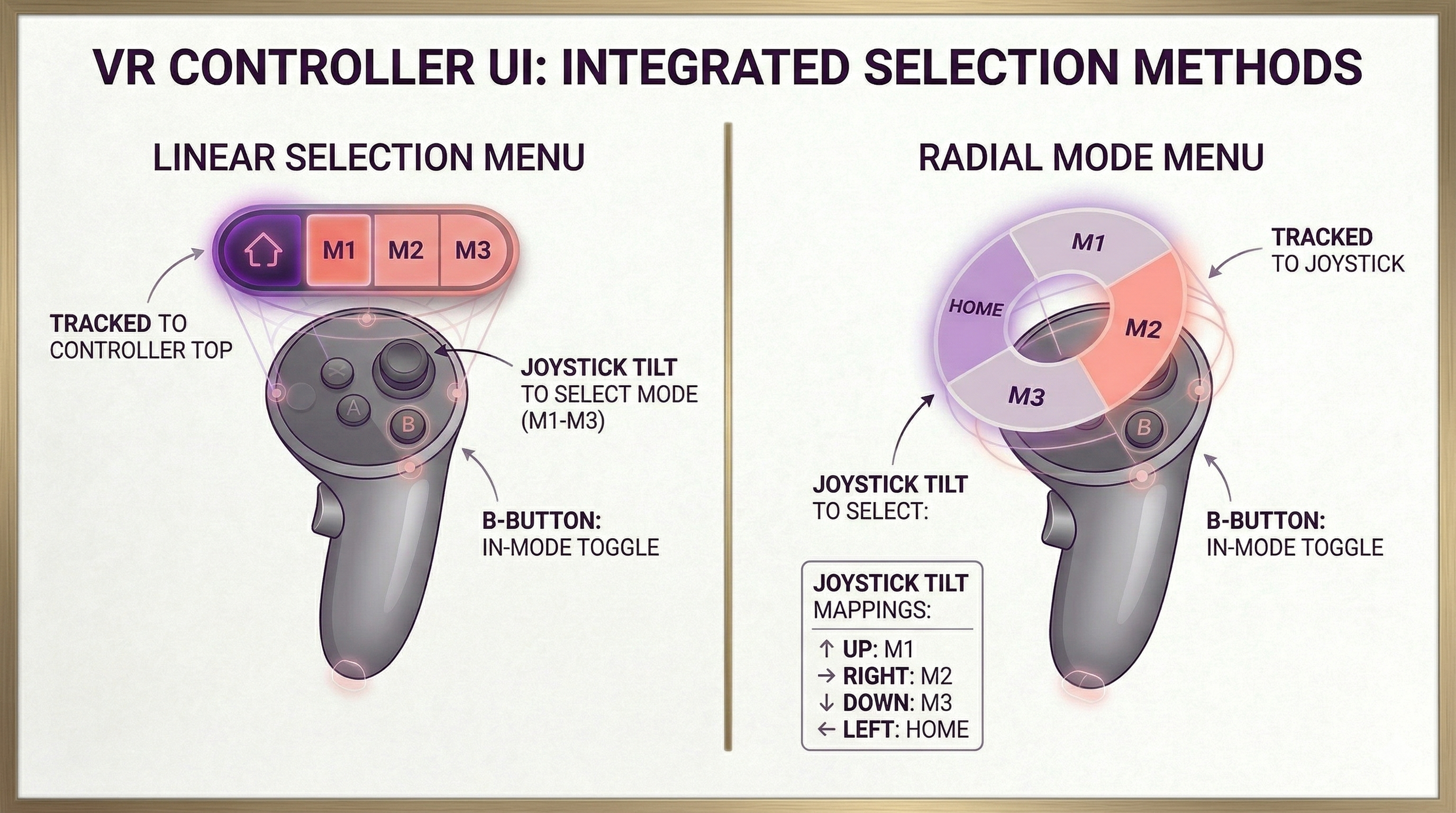
A circular ring shown on top of the joystick with 4 options - home, and the 3 modes.
On selecting any mode by tilting and leaving the joystick in up/down/left/right direction, the ring option changes to allow switching to other modes and the Home always stays.
But 2 of the modes had a sub-menu of toggles and dropdowns.
How to fit that into the radial? That would be ugly and complex. Not Jin-like.
Static Ring
The same radial menu with the same 4 options but use the B button on the controller to switch/toggle things inside the mode. The main ring doesn't change ever.
This is super simple and no new interactions or expectations after selecting any mode.
2. Linear UI
Now, instead of a ring, the options are lined one after the other in a linear UI.
This is commoner for the user but there is a switch fatigue - to switch from mode 3 to mode 1, you will have to go through mode 2 as well and so on for others.
Also, you have to be a little precise to select the modes that lie in between that is difficult with the joystick.
So, finally, the radial UI 2 seems to be the best option and here is a little mockup for both the linear and radial UIs.